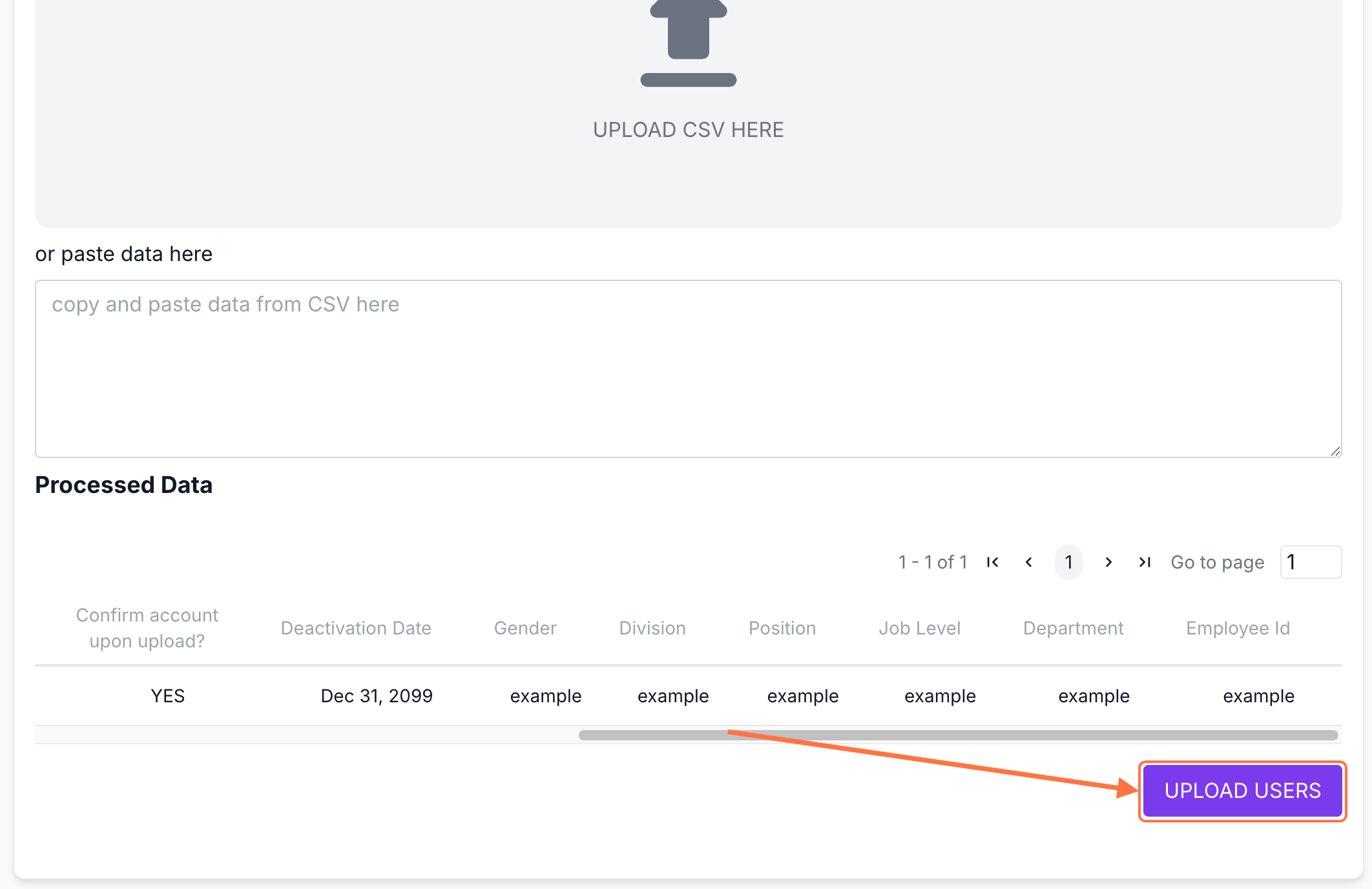
You can now update additional fields for multiple users using a CSV file.
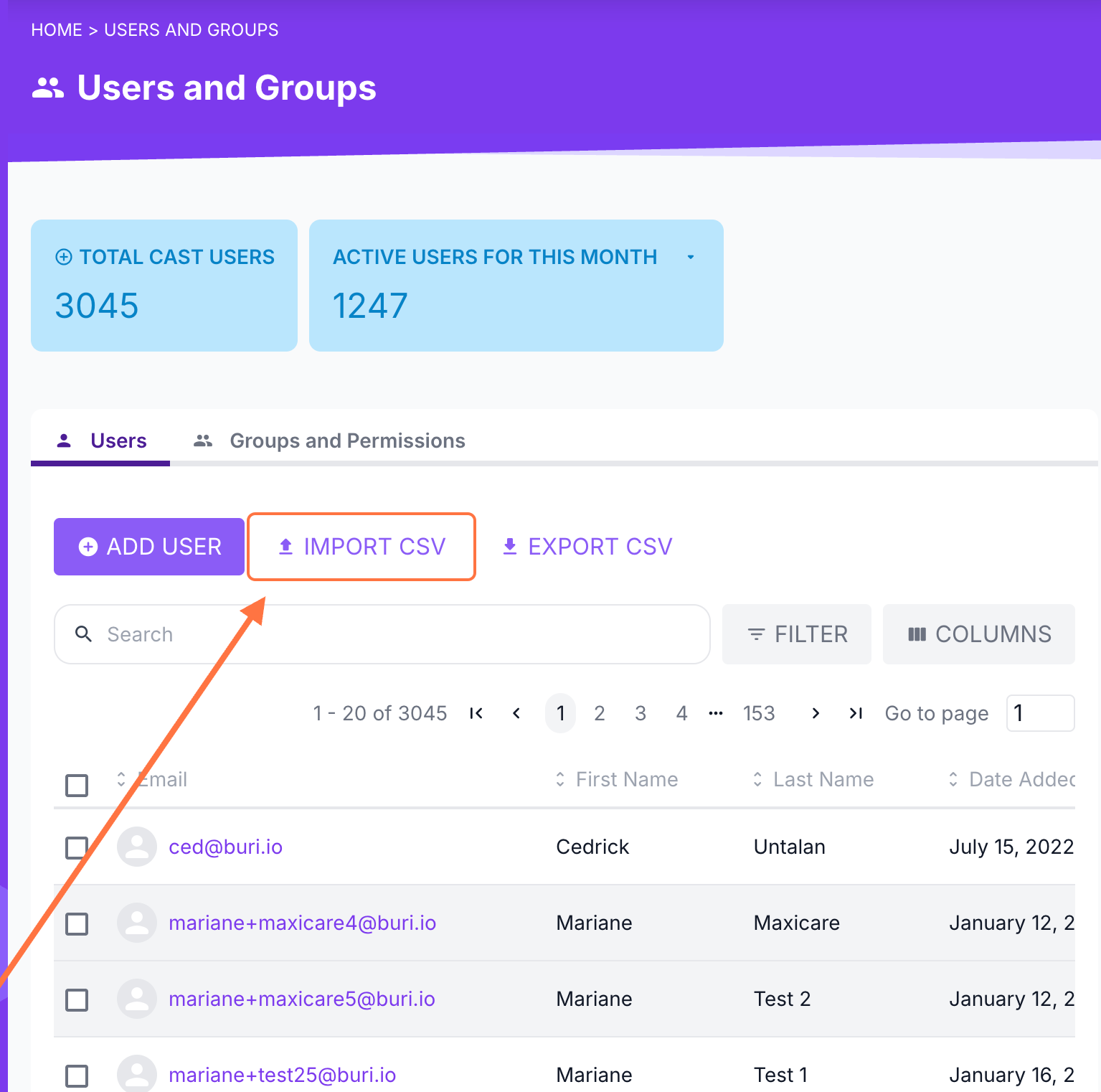
Go to your Admin Dashboard.
Select Users and Groups.
Click Import CSV.
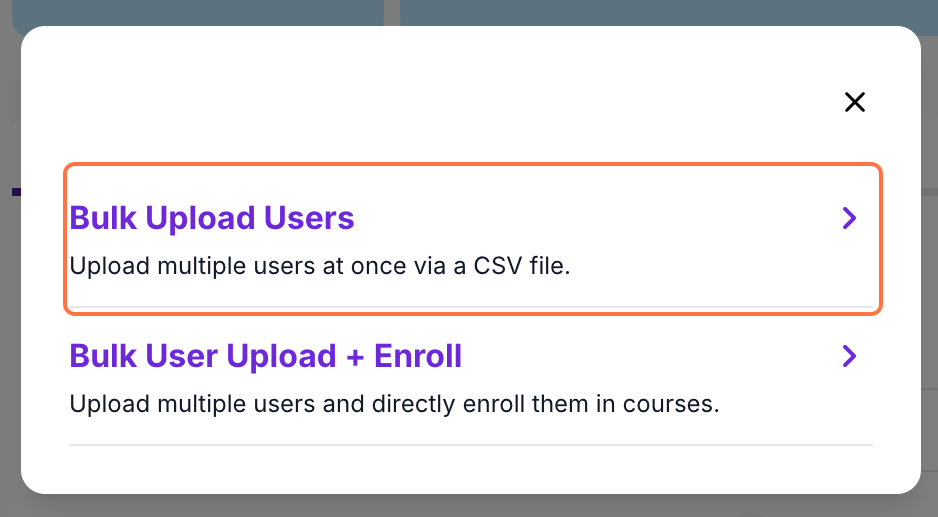
Choose your bulk upload method. To update existing users’ fields only, select Bulk Upload Users.
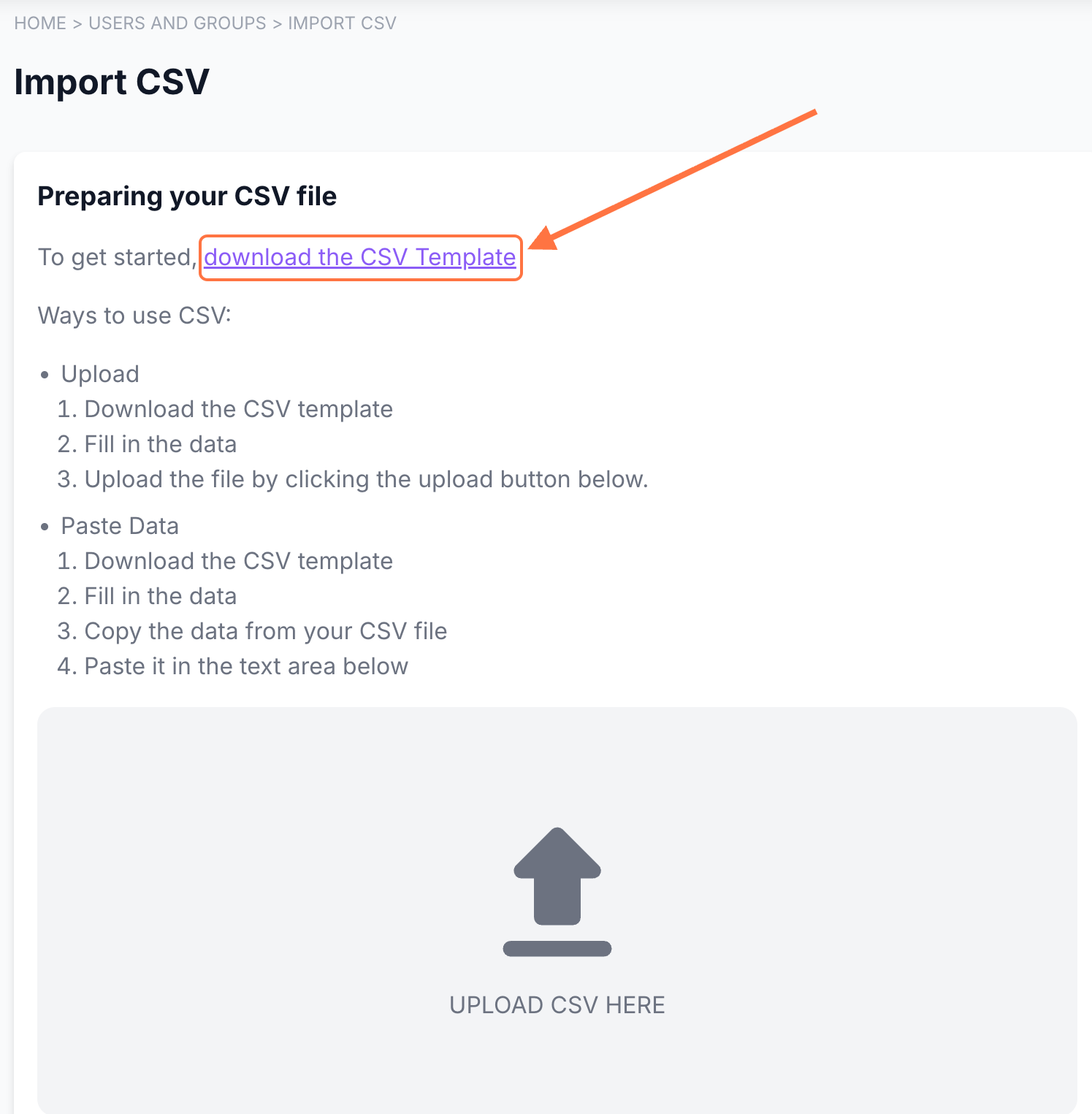
On the Import CSV page, click Download the CSV Template to get a copy that includes columns for the additional fields.
Open the CSV file on your computer or import it to Google Sheets.
Fill in the template with each user’s details. Use the columns at the end of the sheet for additional profile fields:
traits.[field name] – editable by both learner and admin.
metadata_admin.[field name] – visible and editable by the admin only.
metadata_public.[field name] – visible to the learner but editable by the admin only.
When finished, either:
Copy and paste all values directly into the Upload CSV page, or
Save and upload the completed CSV file.
Double-check all fields to ensure the information is correct.

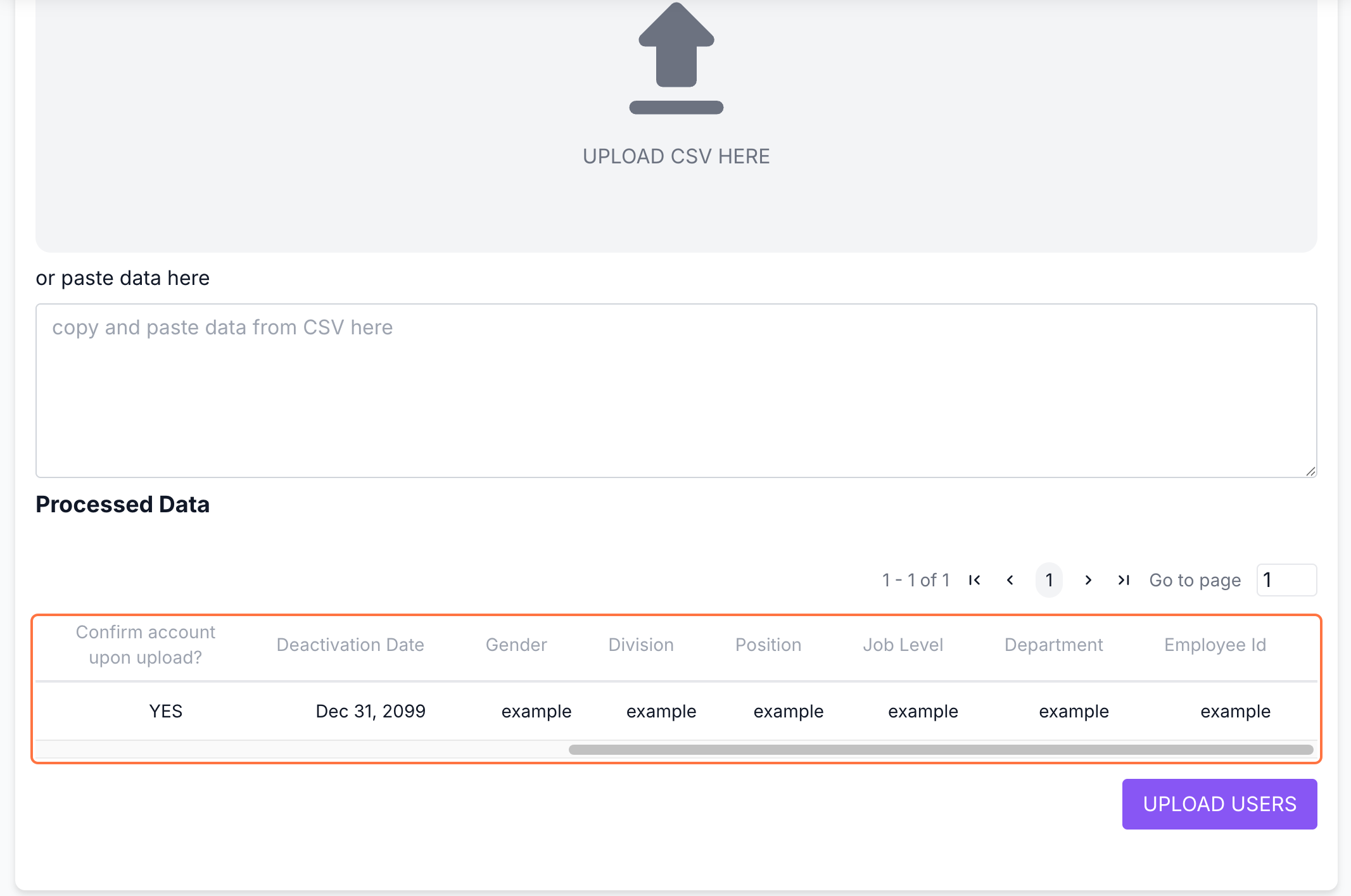
Click Upload Users to process the data.
You can check if the fields have been updated through the User Details page or the columns in the User List.