

Here are the updates in Cast LMS as of December 2025:
Admin Dashboard
Resource details (resource UUID and creation date) appear in the resource list when selecting for duplication
Delete button for scheduled emails in the Mailer section
Batch dates to fall back to the creation date if the start date is null
Learner’s Portal
Changed CONFIRM to START button in assessment popup
Changed the CANCEL button in assessments to appear more negative
Updated UI and optimization of the Courses and Certification page
Resource details appear in the resource list when selecting for duplication
The resource UUID (universally unique identifier) and the date and time of creation of the resource will appear when you are selecting for a resource to duplicate. This is to ensure that you're duplicating the correct file.
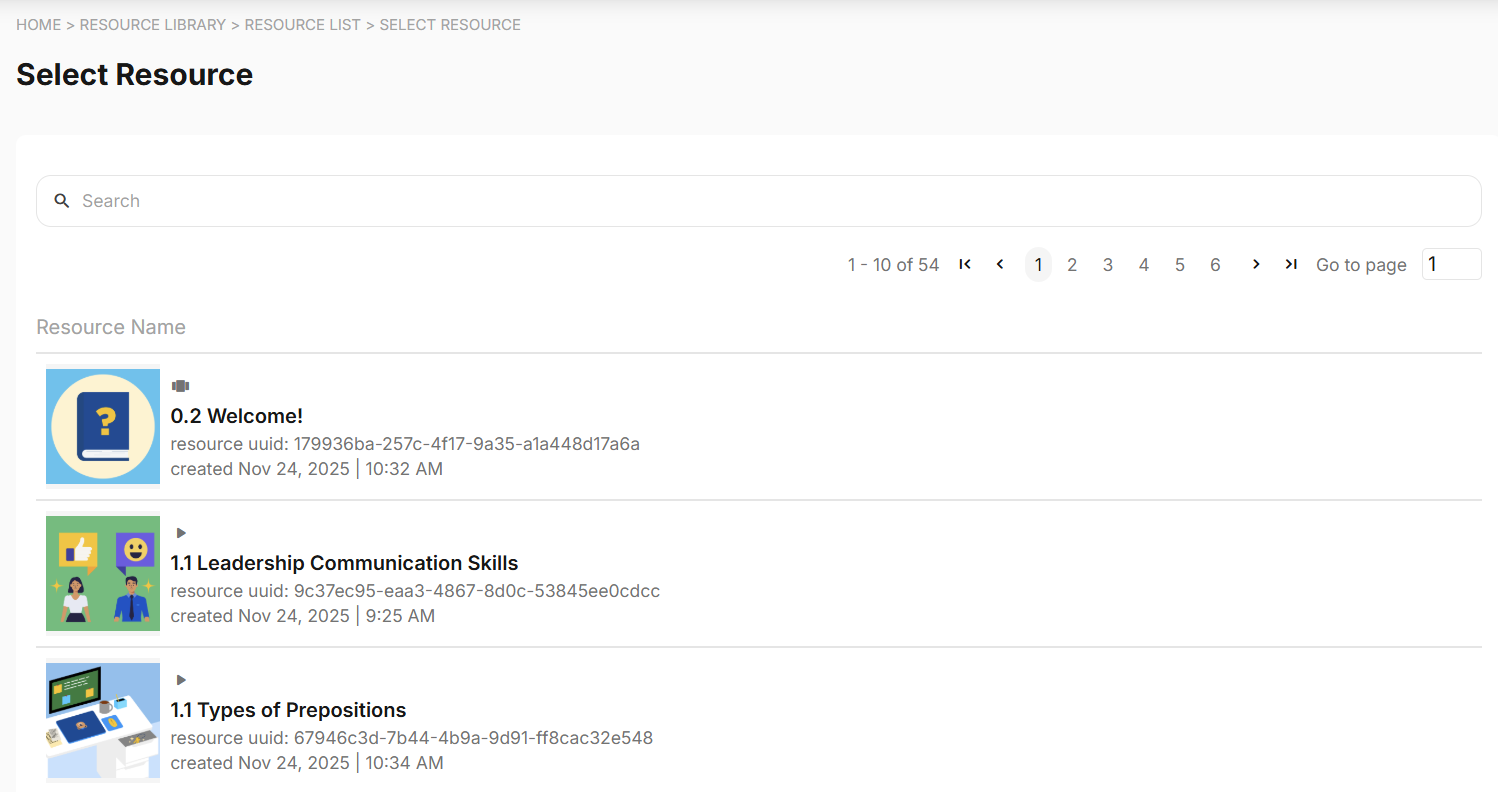
Learn more about duplicating resources in this article.
Delete button for scheduled emails in the Mailer section
Emails that have not been successfully sent to the recipients or emails that are scheduled for sending can now be easily deleted in bulk using checkboxes.

Learn more about deleting emails from the mailer history in this article.
Batch start dates falls back to creation date if left null
If no specific start date is set for a batch, the start date is set to its creation date.
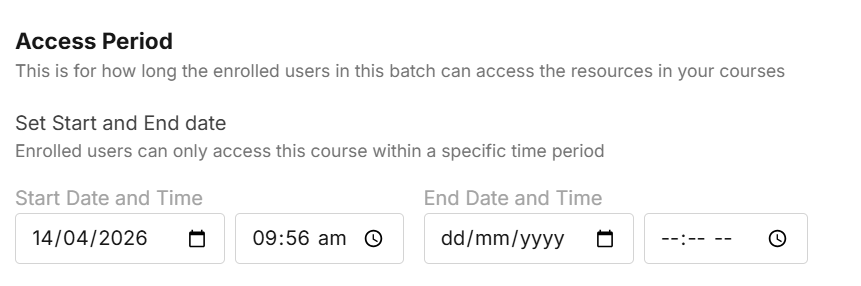
This provides more context to the created batch by letting the admin know when the batch was first created. Even if the start date falls back to its creation date, you can still modify this in the Batch Details page.
Changed CONFIRM to START button in assessment popup
If it is your first time accessing an assessment, you now need to click START in the assessment pop-up to proceed.
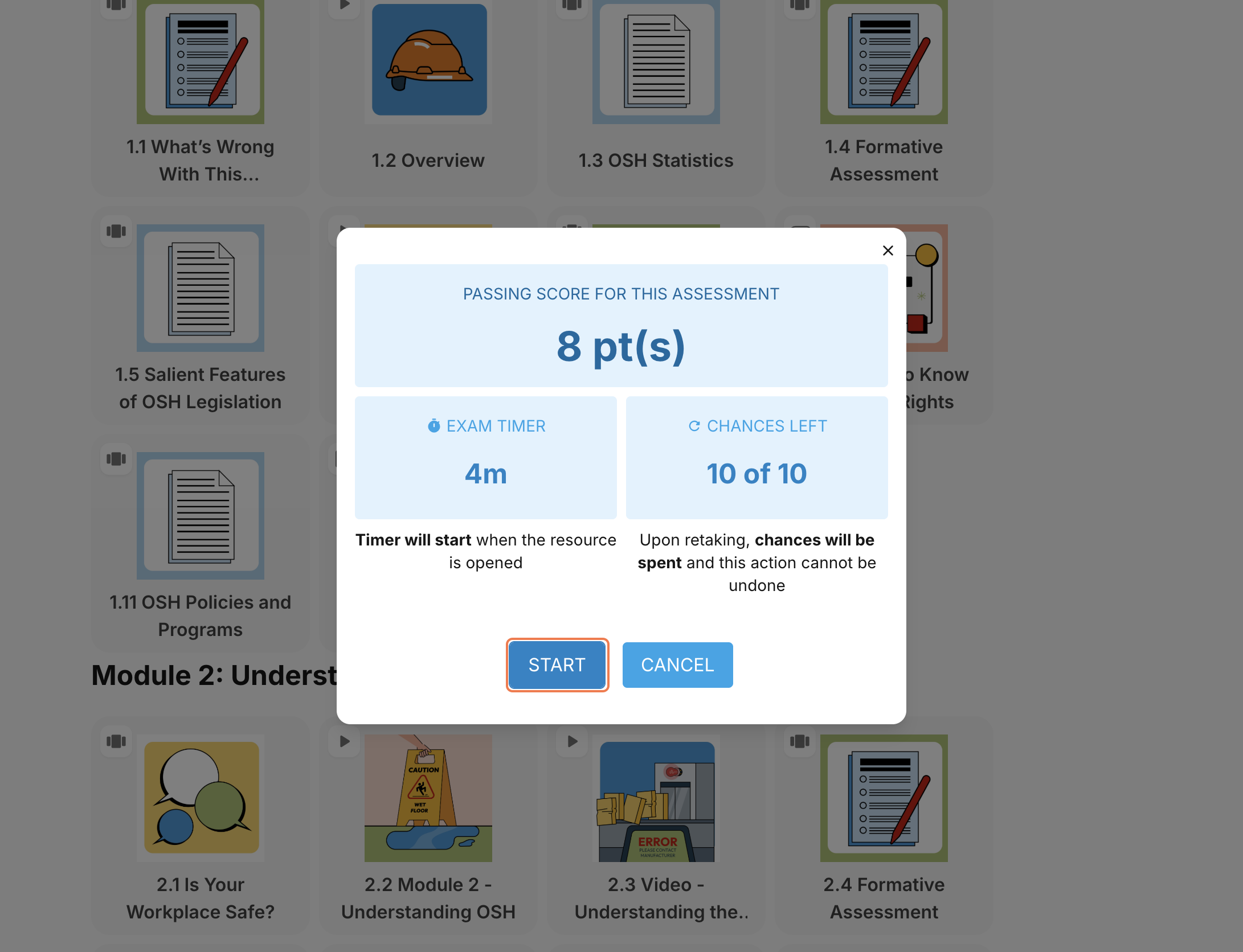
Learn more about taking assessments in this article.