

Here are the updates in the admin dashboard as of March 2026:
Selection is retained when navigating to next pages in user list (Select from Existing Users/User Groups)
Search block settings
Single User Enrollment to Multiple Batches:
Through User Profile
When Adding a New User
Managing and displaying tags
Adding additional profile fields as columns in enrolled users list
Filtering and sorting enrolled users list by additional profile fields
Warning when saving User Details and required additional fields are not filled in
Selection is retained when navigating to next pages in user list (Select from Existing Users/User Groups)
The selection page for Select from Existing Users and Select from Existing User Groups has been improved by retaining the selection when you navigate to the other pages.

Learn more about this feature in these articles:
Selecting from existing users
You can easily enroll existing users in the course by selecting them from your list.
Selecting from existing user groups
You can easily enroll existing users in the course by selecting them from your list.
Search block settings
Admins can now customize the look and feel of the search block. The Search block settings page allows admins to change the title of the search block, the supporting text, the font styles, and the colors of both text and background of the search block.


Learn more about customizing the search block in this article.
Single User Enrollment to Multiple Batches
Admins can now easily enroll a single user to multiple batches and courses through the User Profile and when creating a new account.


Learn more about this new feature in these articles:
Creating a new user account
Add a short description here…
Enrolling a single user to multiple courses through User Profile
Add a short description here…
Managing and displaying tags
Admins can now manage tags and display them for easy searching and navigation of learners.
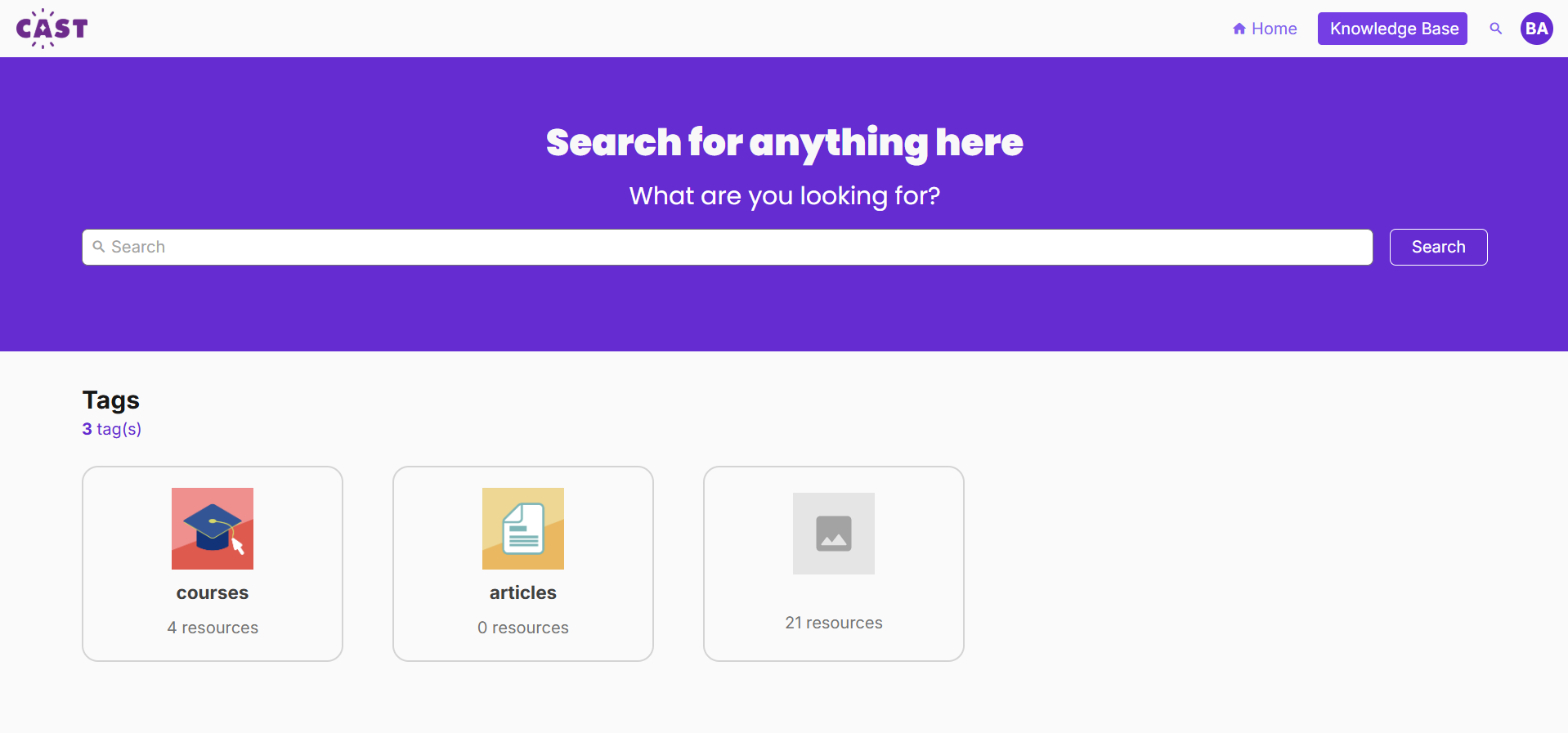
Learn more about the tag manager in this article collection:
Adding additional profile fields as columns in enrolled users list
Similar to the user list in Users and Groups, admins can now add additional profile fields as columns in the enrolled users list inside the batch.

Learn more about this feature in this article.
Filtering and sorting enrolled users list by additional profile fields
Admins can now filter and sort the list of enrolled users by additional profile fields after adding them as columns. This can help admins easily track and monitor enrollees' activity in the course.


Learn more about filtering and sorting enrolled users in this article.
Warning when saving User Details and required additional fields are not filled in
A visible warning sign should now appear when required additional fields are not filled in the User Details page.
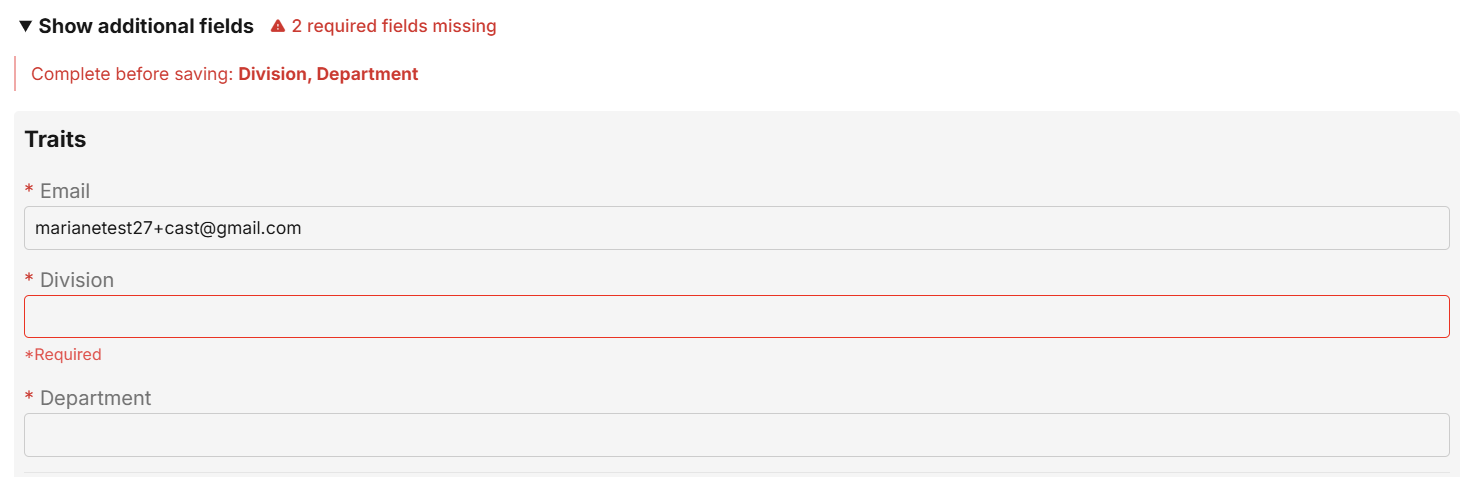
Make sure to fill these in to save changes made in this page.